
BassMarker Pro review: it places markers, but it cannot edit for you
An in-depth BassMarker Pro review covering rhythm analysis, Final Cut Pro workflow, privacy, detection limits and the work still required before routine sales.
- BassMarker Pro
- Final Cut Pro
- editing
Tech2u audio edition
A narrated editorial edition using the Tech2u voice profile.
The concrete detail comes first, the conclusion second. Below we show the reasoning, its limits and what this story can genuinely add to your own work.
Editing to music can be satisfying. Pressing M for every hit is less glamorous. Around marker fifty, an editor may suspect that years of creative experience have led to a highly qualified woodpecker impression.
That irritation produced BassMarker Pro. Developed within Tech2u, the app analyses an audio file, identifies selected rhythmic events and helps place markers in Final Cut Pro. It does not edit the film. It cannot choose emotion or understand why a face should remain on screen through a drop. Its purpose is the repetitive first pass; the editor keeps the decision.
From an audio file to timeline markers
The workflow is deliberately short. Load a track, select a rhythmic event, run the analysis, match the project frame rate and decide whether markers should sit on the audible hit or slightly ahead of it. The interface displays tempo, marker count and controls that materially affect the result.
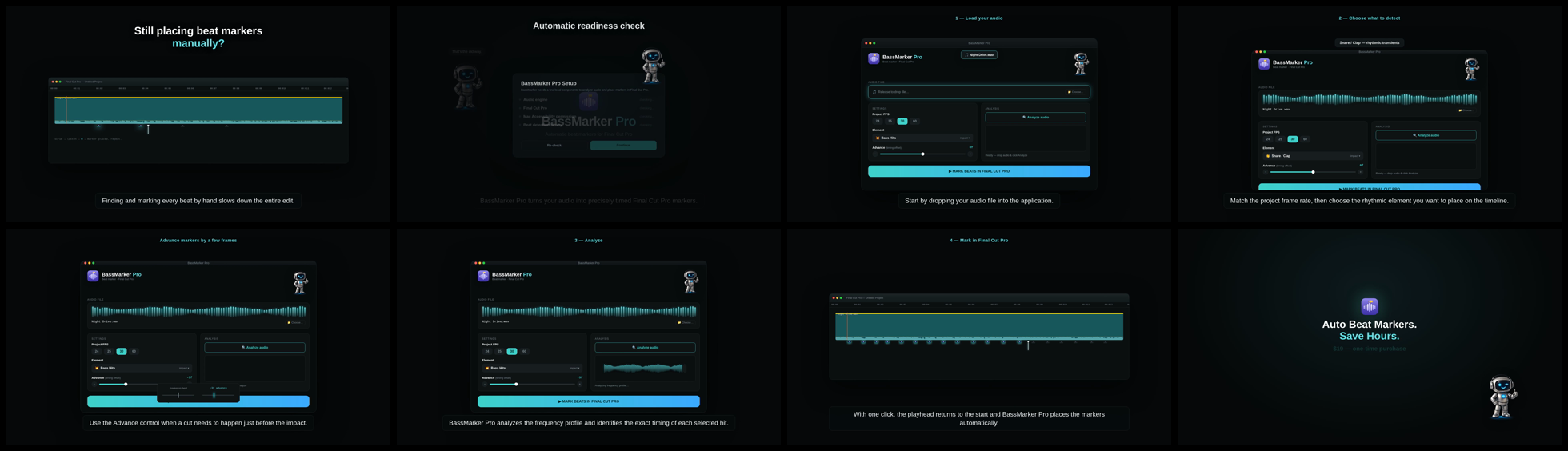
Rhythm detection is not one universal switch. Modes cover bass impacts, kick, snare or clap, low 808 and sub events, and a full beat grid. A clean electronic pulse is easier than ambient music, live jazz or a dense master in which every element competes for space. Automation can prepare a map. A person still needs to watch and listen.
Advance: a cut does not always belong on the hit
The Advance control is particularly practical. A cut often needs to begin just before the audible impact so the eye registers the change and motion resolves on the bass. The control shifts all markers by a selected number of frames without analysing the track again. Projects at 24, 25, 30 and 60 fps are supported.
This is the type of detail missing from the generic claim that “AI finds the beat.” In real editing, small timing controls decide whether a tool fits the workflow or produces another clean-up job.
What we confirmed
There is a functioning demonstration from audio import through to markers in a Final Cut Pro timeline. The application includes readiness checks for the audio engine, Final Cut Pro connection, required permission and detection library. The interface exposes tempo, detected marker count and timing settings.
Audio is analysed locally on the Mac rather than sent to an unnecessary external cloud. Integration with Final Cut Pro does rely on keyboard automation and therefore needs macOS Accessibility permission. That should not be buried in terms and conditions. A user should know why the permission is requested and when it is used.
The landing page moved ahead of the evidence
The product page makes strong claims about more than 95 percent accuracy and perfect synchronisation. We do not currently treat those as verified Tech2u measurements. A credible benchmark needs tracks from several genres, manually labelled references, a defined timing tolerance and counted hits, misses, false detections and offsets.
Without that evidence, 95 percent is a manufacturer claim, not a measured conclusion. Performance may be excellent with clean electronic music and significantly weaker with live tempo. A transparent table by genre would be more useful than one heroic percentage.
Finished product or release candidate?
A DMG package exists and a live nineteen-dollar checkout is available. That demonstrates that the product and purchase path are more than a mock-up. It does not prove that distribution is ready. During the audit, the application carried an ad hoc signature and Gatekeeper rejected the build. Routine sales require Developer ID signing, notarisation, stapling, a clean installation test on another Mac and a completed test purchase that delivers the correct file.
This is not the glamorous part of product work, but customers buy the entire path from Buy to the first useful marker. If macOS raises a security warning in the middle, neon visuals cannot repair the experience.
Interface and identity
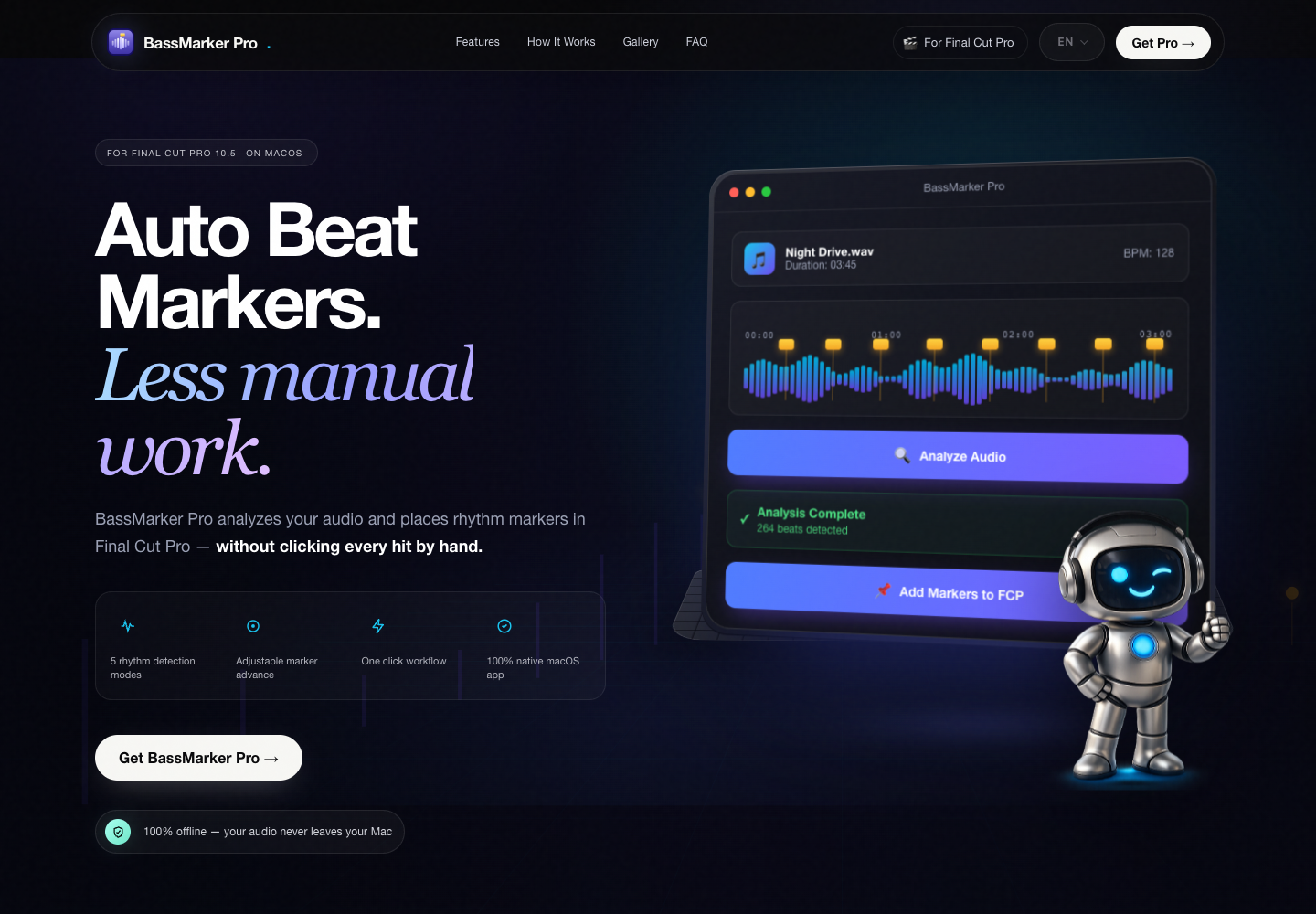
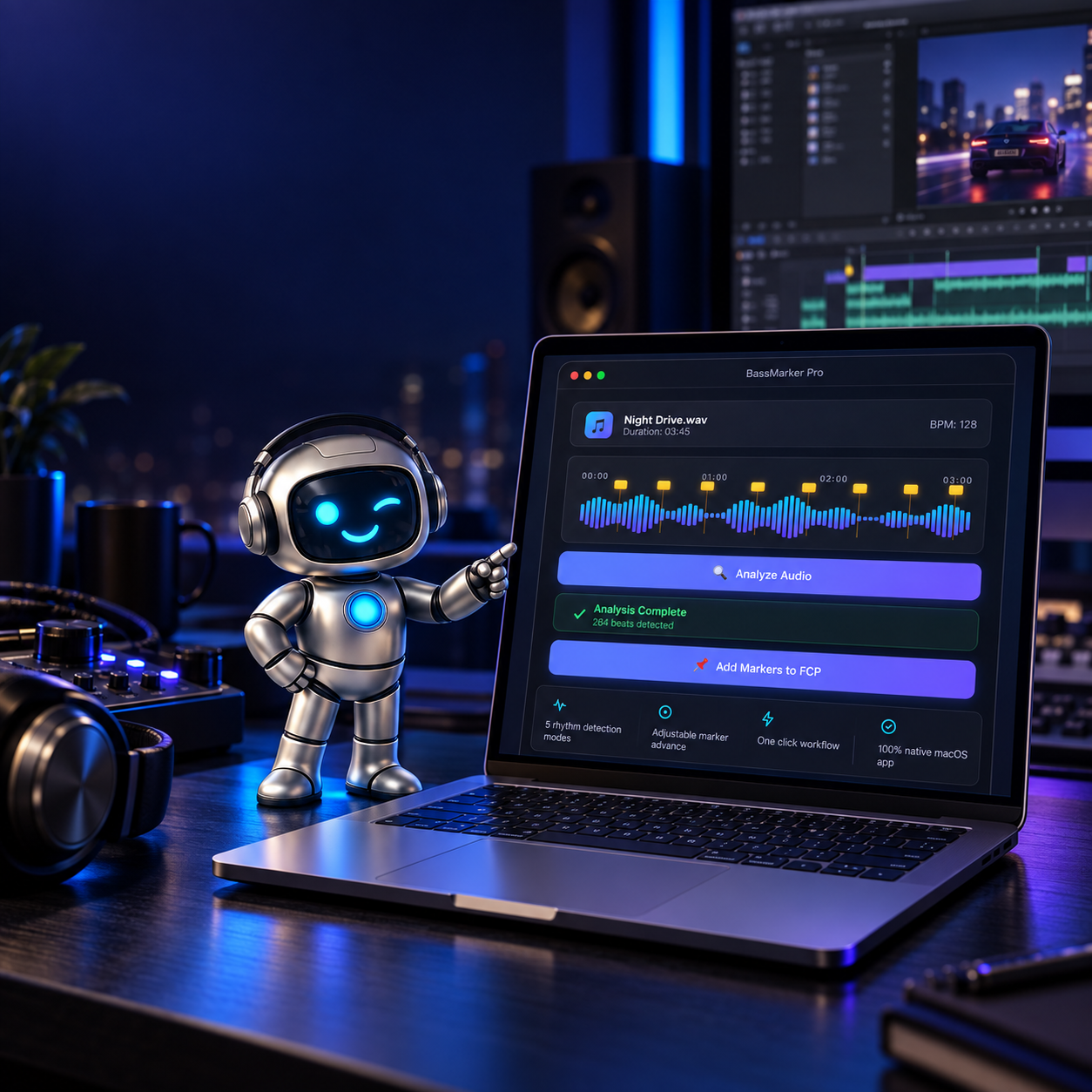
The workflow is easy to understand: audio, mode, analysis, parameters and result. A companion utility should not require flight training. The Tech2u robot and neon styling give it identity, but the analysis status and timing controls must remain visually dominant.
How much time can it save?
BassMarker Pro may reduce the work needed to prepare a first rhythm map, but we do not promise a universal number of hours. Savings depend on the music, marker density, project length and expected tolerance. Clean markers help an editor reach creative decisions sooner. A map that needs every second point repaired simply creates a new chore.
The correct business test is straightforward: measure manual and automated passes on the same tracks, include correction time and compare the median. Only then can time savings be discussed without brochure padding.
Tech2u verdict
BassMarker Pro has a useful core because it grew from a real editing workflow rather than a slide deck about an AI revolution. It gives editors a faster starting point while preserving their judgement. Marketing and distribution now need to catch up with the product.
Our current score is 7.6 out of 10. Benchmark first, percentage second. Signed and notarised release first, painless installation promise second. Once those areas are closed, BassMarker Pro can become more than an interesting Tech2u project: it can become a product that earns its price honestly.
See BassMarker Pro. Check the current macOS compatibility and release status before purchasing.
Tech2u verdict
BassMarker Pro addresses a genuine editing chore: preparing a first rhythm map. Its core workflow works, but routine sales should wait for a signed release, clean-install verification and a benchmark for the strongest marketing claims.
A Tech2u self-review based on the working demo, package audit and Final Cut Pro workflow. The score may improve after benchmarking and a clean installation on a second Mac.
+ Pros
- Addresses a real editing problem
- Analyses audio locally on the Mac
- Supports several rhythmic-event modes
- Accounts for frame rate and Advance offset
- Shows a real path into Final Cut Pro
- Leaves creative decisions with the editor
− Cons
- Detection varies with musical material
- Results still require human review
- Integration needs Accessibility permission
- The 95%+ claim lacks a published benchmark
- The current package has not completed the Gatekeeper release path
 Reviews
How do we build an honest technology review? Our pre-verdict checklist
From manufacturer claims through measurements and daily use to a clear separation of facts, experience and Tech2u opinion.
Read the story Reviews
Mission Describer review: make AI understand before it starts building
An in-depth Mission Describer review: how it turns a chaotic idea into a testable brief, where it helps, where it stops and why a human still approves the direction.
Read the story